
Go Paperless with Alfa®: How to Get Your Bills and Policy Documents Online
Why go paperless?
Paperless billing and policy documents make managing your insurance simple, fast, and secure. When you go paperless, your bills are sent straight to your email and your policy documents are safely stored in your MyAlfa® account, giving you instant access whenever you need them.
Save Money: Avoid paying service fees for paper mail delivery.
Faster delivery: Receive insurance bills quicker than traditional mail.
Enhanced Security: Documents are password-protected and encrypted.
Stay Organized: Reduce household clutter and prevent lost papers.
Convenience: Access important documents anytime, anywhere.
There are two ways to go paperless with Alfa
In order to enable Paperless Billing and Paperless Policy Documents, you must have a MyAlfa account.
Don’t have a MyAlfa Account? Visit Create an Account.
1. Paperless Billing
How to enable Paperless Billing at AlfaInsurance.com:
1. Log in to your MyAlfa account.
2. Select Payment Center from the account dropdown menu.
3. If your policy is eligible, you will see a Paperless Billing toggle next to it. Switch the toggle to Yes to enroll that policy in paperless billing.
4. A confirmation screen will appear. Select Confirm to complete your Paperless Billing enrollment for that policy.
Need help? visit Setting Up Paperless Billing with MyAlfa.
How to enable Paperless Billing in the Alfa2Go® mobile app:
1. Log into your MyAlfa account on the mobile app.
2. Selects Payments from the main menu. You will be redirected to the secure payment center.
3. If prompted, log into the secure payment center with your MyAlfa credentials.
4. Select Accounts to view your policies.
5. If your policy is eligible, you will see a Paperless toggle next to it. Switch the toggle to Yes to enroll that policy in Paperless Billing.
What to expect when enrolled in Paperless Billing:
Opting into Paperless Billing means you will no longer receive your insurance bills in the mail. When your policy has an upcoming bill, you will receive an email notifying you of the amount due and the due date.
For added convenience, enroll in AutoPay through the Payment Center to schedule automatic payments each billing cycle.
2. Paperless Policy Documents
How to enable Paperless Policy Documents at AlfaInsurance.com:
1. Log in to your MyAlfa account.
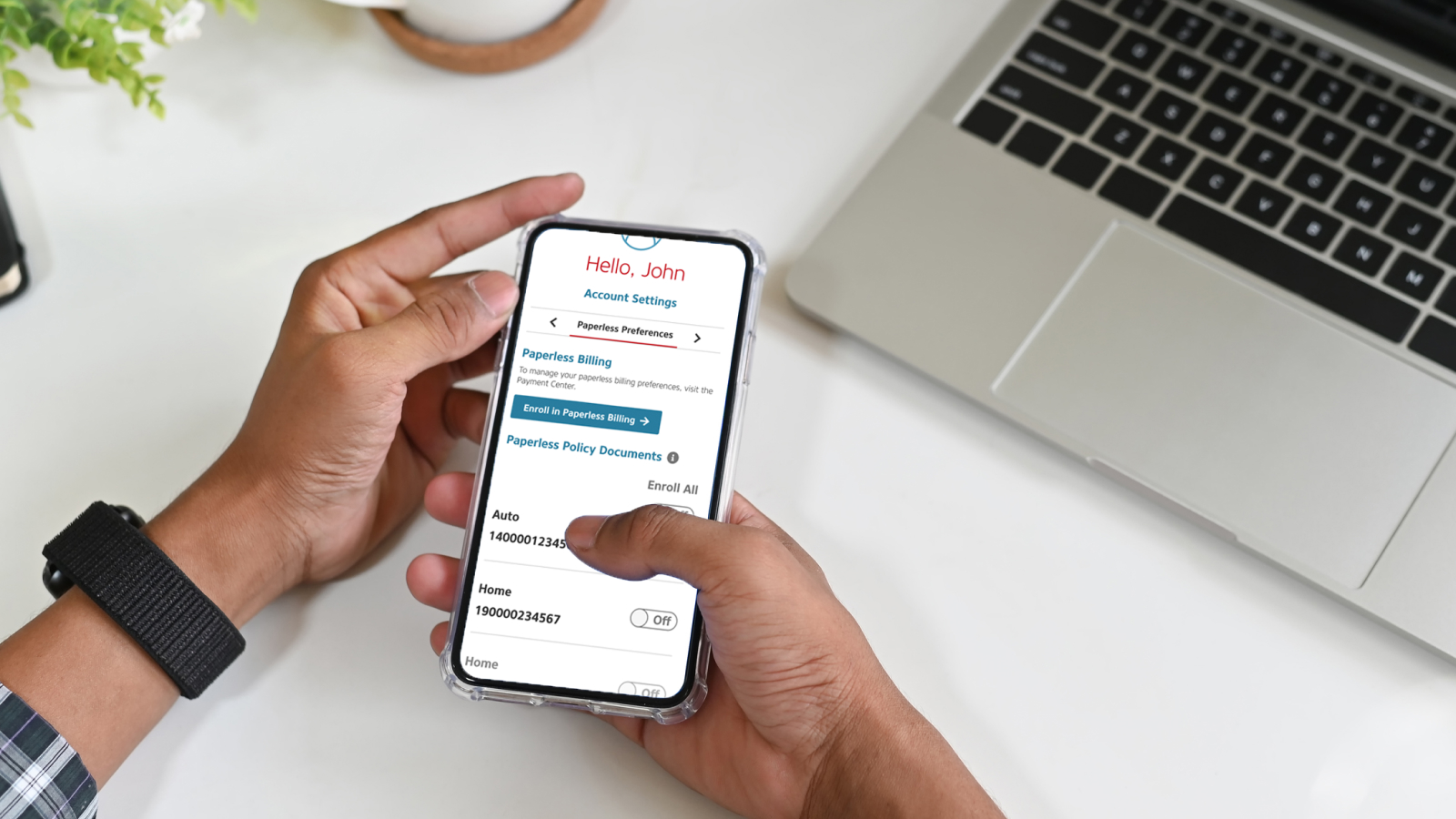
2. Select Paperless Preferences from the account dropdown menu.
3. If your policy is eligible, you will see an On/Off toggle next to it. Switch the toggle to On to enroll that policy in Paperless Policy Documents, or select Enroll All to enable paperless delivery for all eligible policies.
Need help? visit Setting Up Paperless Billing with MyAlfa.
How to enable Paperless Policy Documents in the Alfa2Go® mobile app:
1. Log into your MyAlfa account on the mobile app.
2. Tap Settings.
3. Select Paperless Preferences.
4. If your policy is eligible, you will see an On/Off toggle next to it. Switch the toggle to On to enroll that policy in Paperless Policy Documents, or select Enroll All to enable paperless delivery for all eligible policies.
What to expect when enrolled in Paperless Billing:
Opting into Paperless Policy Documents, also referred to as electronic documents, means you will no longer receive policy documents in the mail. When a new document is ready for you to view, you will receive an email. The link in the email will prompt you to log in to your MyAlfa account, where you can securely view or download your policy document.
Switch to paperless and enjoy the peace of mind that comes with effortless, secure, and instant access to your insurance.
Questions? visit Paperless FAQs.